Coming soon to the App Store
The whole workout, in Apple Health.
Most watch and training apps hand Apple Health a thin copy of each workout. SyncFix takes the FIT, GPX or TCX file of the same workout and writes the complete one.
See how it works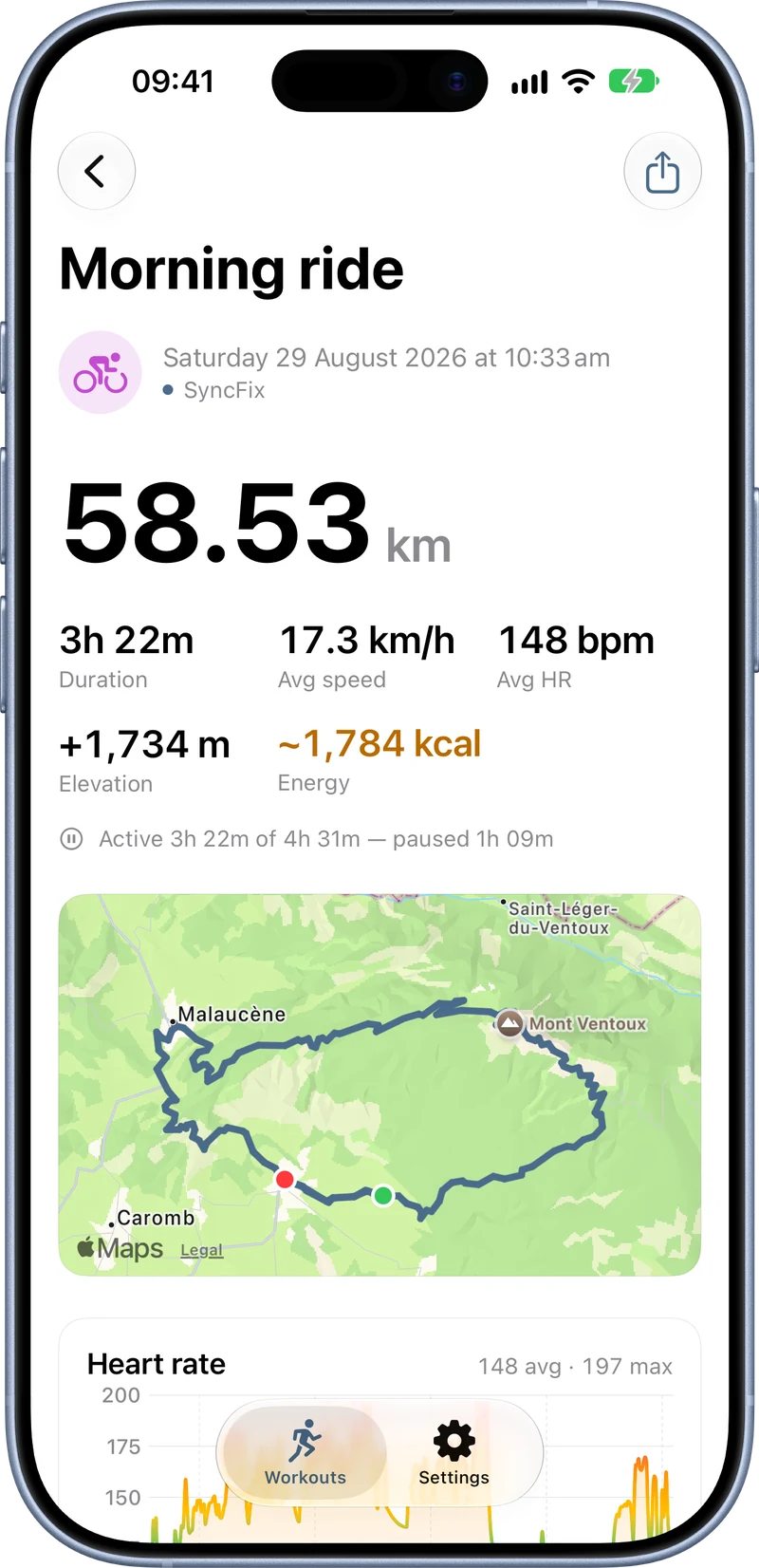
The difference
One workout, two copies.
What a watch app typically sends to Apple Health, next to what SyncFix writes from the file of the same workout.
| The watch app’s copy | The copy SyncFix writes | |
|---|---|---|
| Time and distance | Duration, maybe distance | As the file recorded them |
| Heart rate | One number | The whole curve |
| Route | No map | Map and elevation |
| Pauses and laps | None | As recorded |
| Speed, power, cycling cadence | None | As recorded |
| Calories | Often missing | From the file, or an estimate marked ~ |
| Effort score | None | 1 to 10, an estimate unless you set it yourself |
Already have the thin copy in Apple Health? SyncFix spots it, writes the complete version and hides the thin one in its own list. In the Health app the thin copy stays until you delete it there: apps can’t remove each other’s workouts.
How it works
From file to Apple Health in three steps.
-
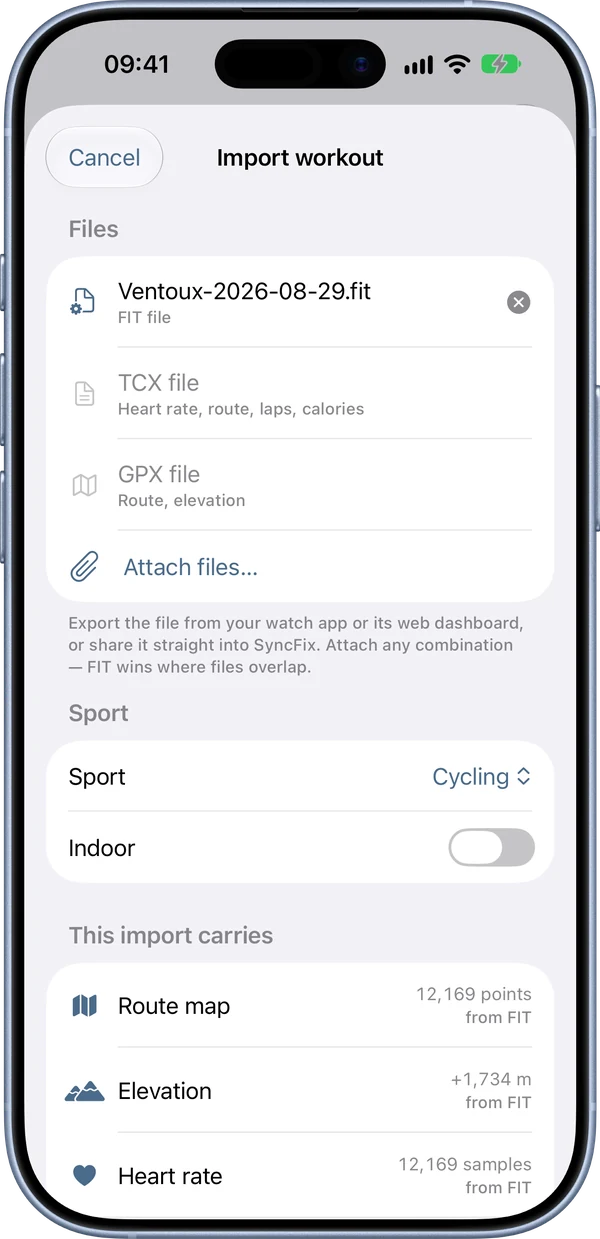
Send the file to SyncFix
Export the workout from your watch app or its website, then share it to SyncFix or open it from Files.
-
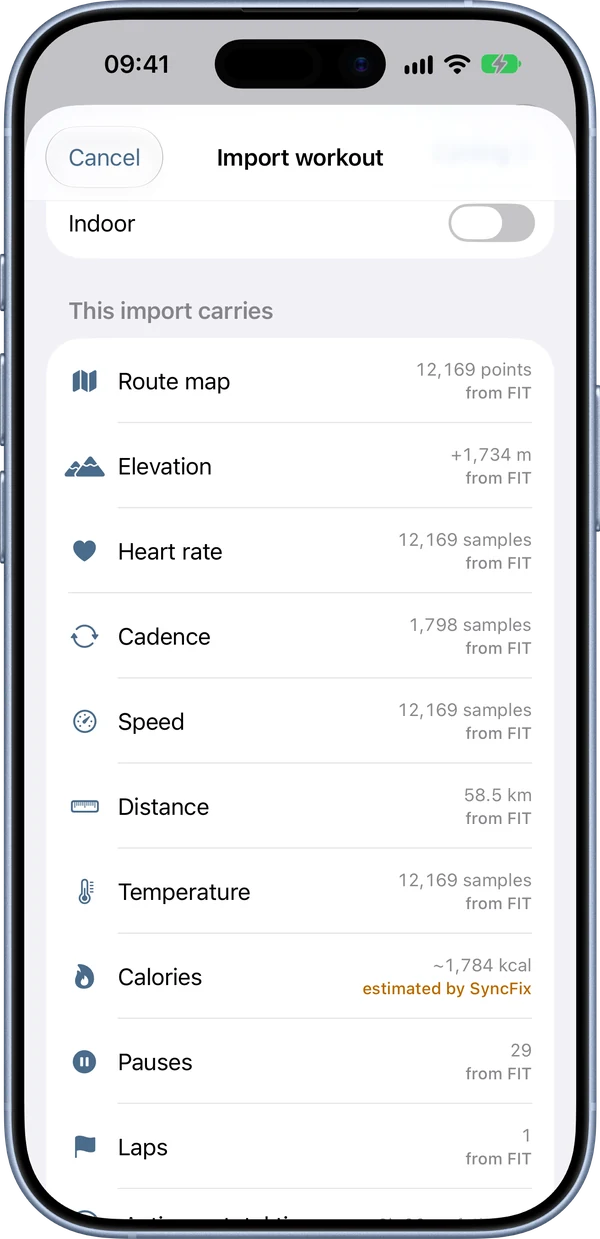
See what will be written
Before anything is saved, SyncFix lists what the file carries and marks what it would estimate.
-
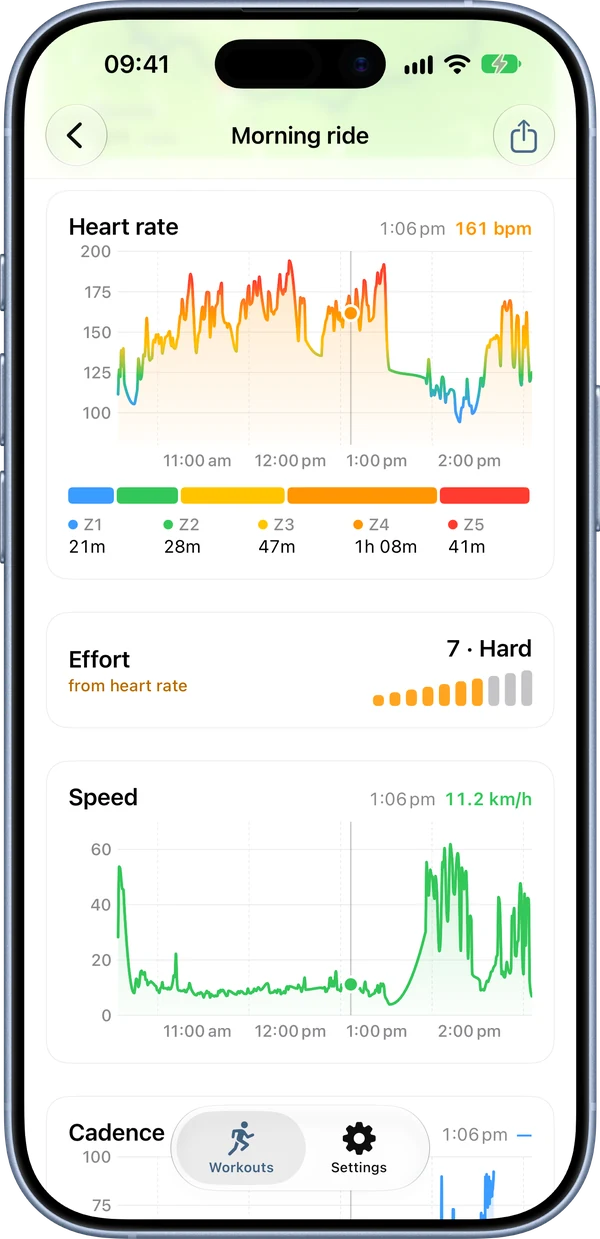
Save to Apple Health
The complete workout appears in Apple Health and the Fitness app. In SyncFix, slide along any chart and the map follows.
When the file has gaps
Estimates, marked as estimates.
When a file has no calories, SyncFix estimates them from the best data it has: power, speed and climbing, heart rate with your VO2max, or the sport’s MET value. Every estimate carries a ~ in SyncFix, is tagged in the workout’s metadata and can be switched off for any import.
Effort works the same way. SyncFix computes a score from 1 to 10 and writes it as an estimate. Slide to another level and it is saved as your own rating.
The controls from the import screen. Slide along the plate or tap a bar.
Privacy
No account. No server. No analytics.
Files are read on your iPhone and written straight into Apple Health. SyncFix never uploads anything: your data leaves the phone only when you export or share it yourself.
Read the privacy policyCommon questions.
Where do I get the workout file?
Most watch apps and their websites can export a single workout as a FIT, GPX or TCX file. Export it, then share it to SyncFix or open it from the Files app.
Will the workout show up twice in Apple Health?
If a thin copy was already there, yes, until you delete that copy in the Health app. Apps can’t remove each other’s workouts. SyncFix’s own list shows the workout once.
Can I attach more than one file to a workout?
Yes. Attach any combination of FIT, TCX and GPX files of the same workout. Where they overlap, the FIT file wins.
Do I need an Apple Watch?
No. SyncFix reads the file and writes the workout on your iPhone.
Can I undo an import?
Yes. Open the workout in SyncFix and tap Delete from Apple Health. That removes the workout and everything SyncFix wrote with it.
Can SyncFix export workouts too?
Yes. Any workout in Apple Health can be exported as a FIT or GPX file.
Which languages does the app speak?
English, Russian, German, French, Spanish, Italian, Brazilian Portuguese, Japanese, Simplified Chinese and Korean.
Something doesn’t import. What now?
The support page covers the usual causes and says how to reach the developer.